How to use
Introduction
This guide uses マヌカ and MERODROPS. Thank you!
How to use
Put the nails on your avatar and, if needed, get the positioning done first.
From the menu bar at the top of Unity, open さたにあしょっぴんぐ (SataniaShopping) → ネイルセットアップツール (Nail Setup Tool).

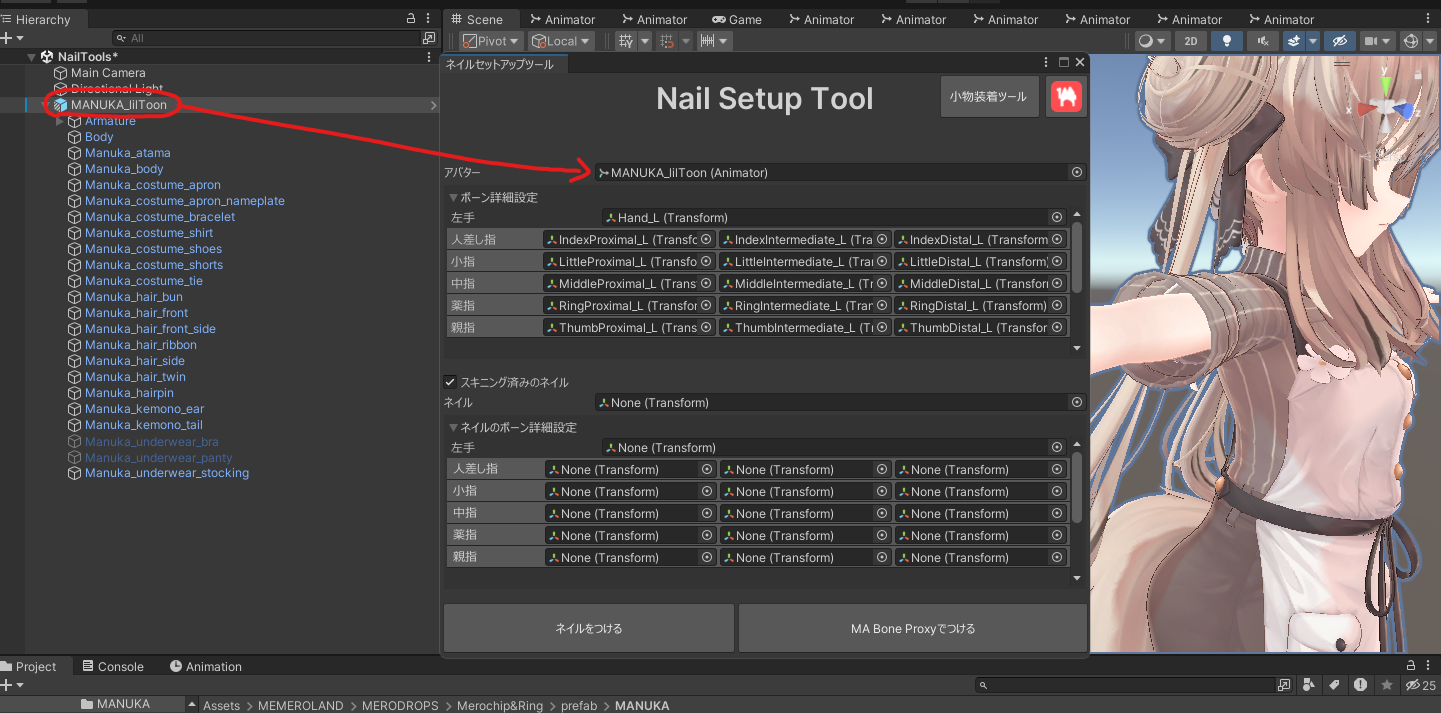
Put your avatar into the tool.
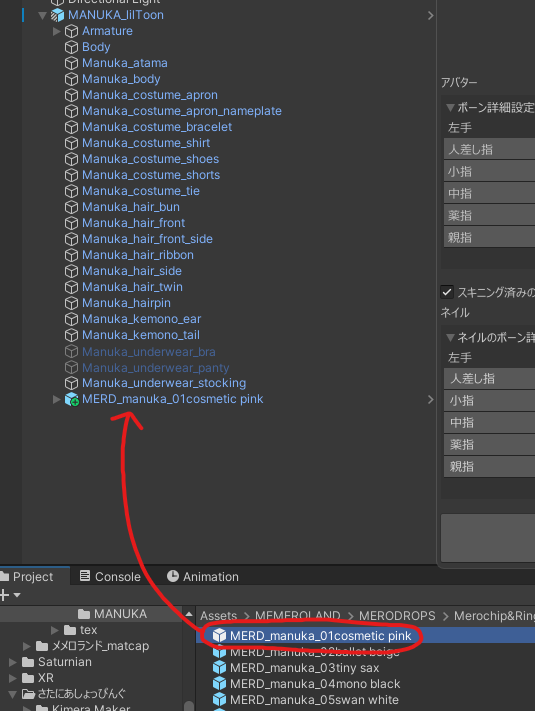
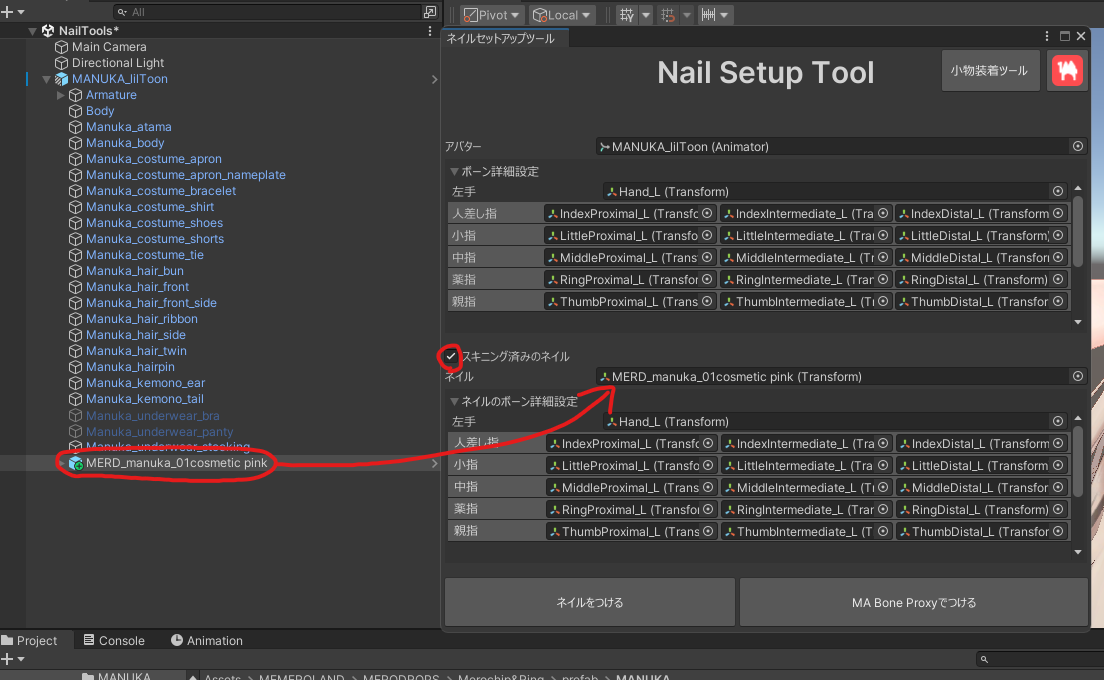
The MERODROPS nails used here are already skinned (the weights are painted), so check スキニング済みのネイル (Skinned nails) and put the nails in the ネイル (Nails) field.
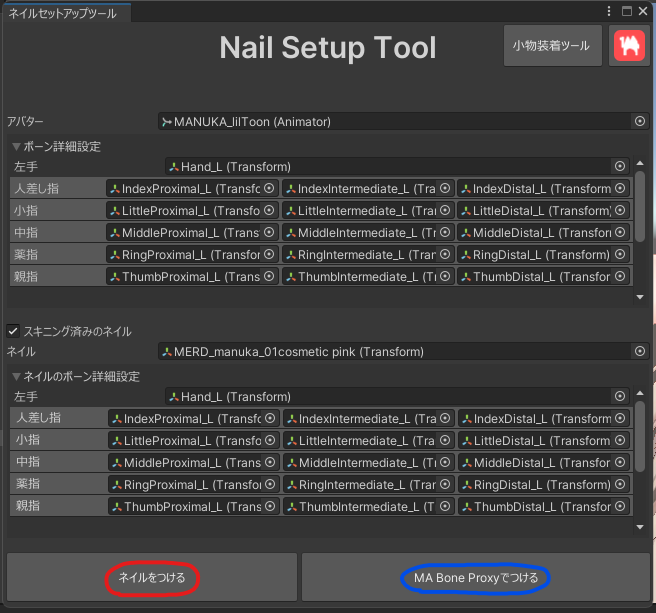
Click the ネイルをつける (Attach nails) button and they get set up on your avatar.
If you have Modular Avatar in your Unity project, you can set them up with MA instead.
In that case, hit MA Bone Proxyでつける (Attach with MA Bone Proxy).