Swapping the hand gestures
With Satania Tabako, you can change the hand shape used while holding the case, lighter or cigarette.
Here's how to change the hand used while holding the case.
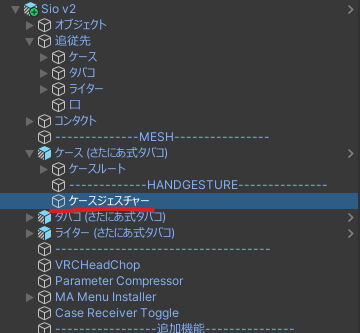
In the Hierarchy, select ケース (さたにあ式タバコ) (Case (Satania Tabako)) → ケースジェスチャー (Case gesture).
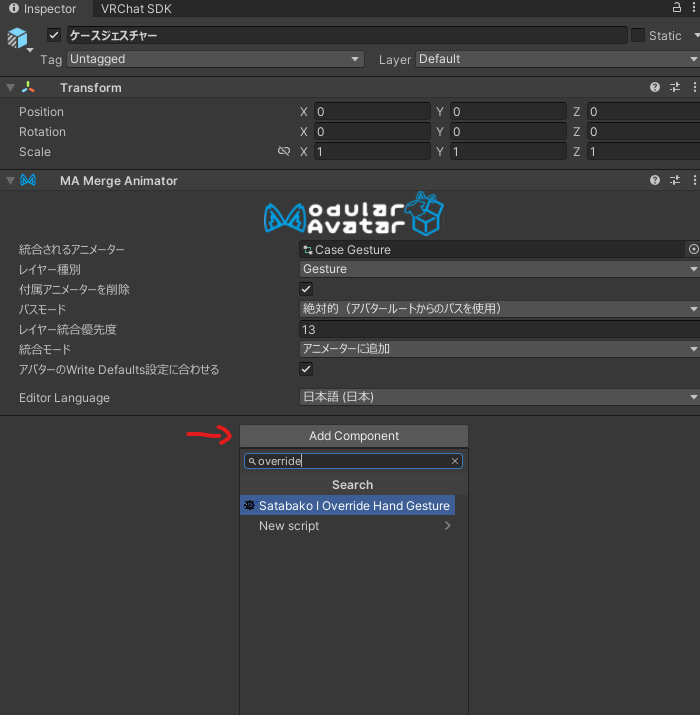
In the Inspector, click Add Component and search for override.
Click the Satabako I Override Hand Gesture that shows up to add it.
Pick the motion to override. (We're replacing the case this time, so Case)

Put in the motion you want to use instead.
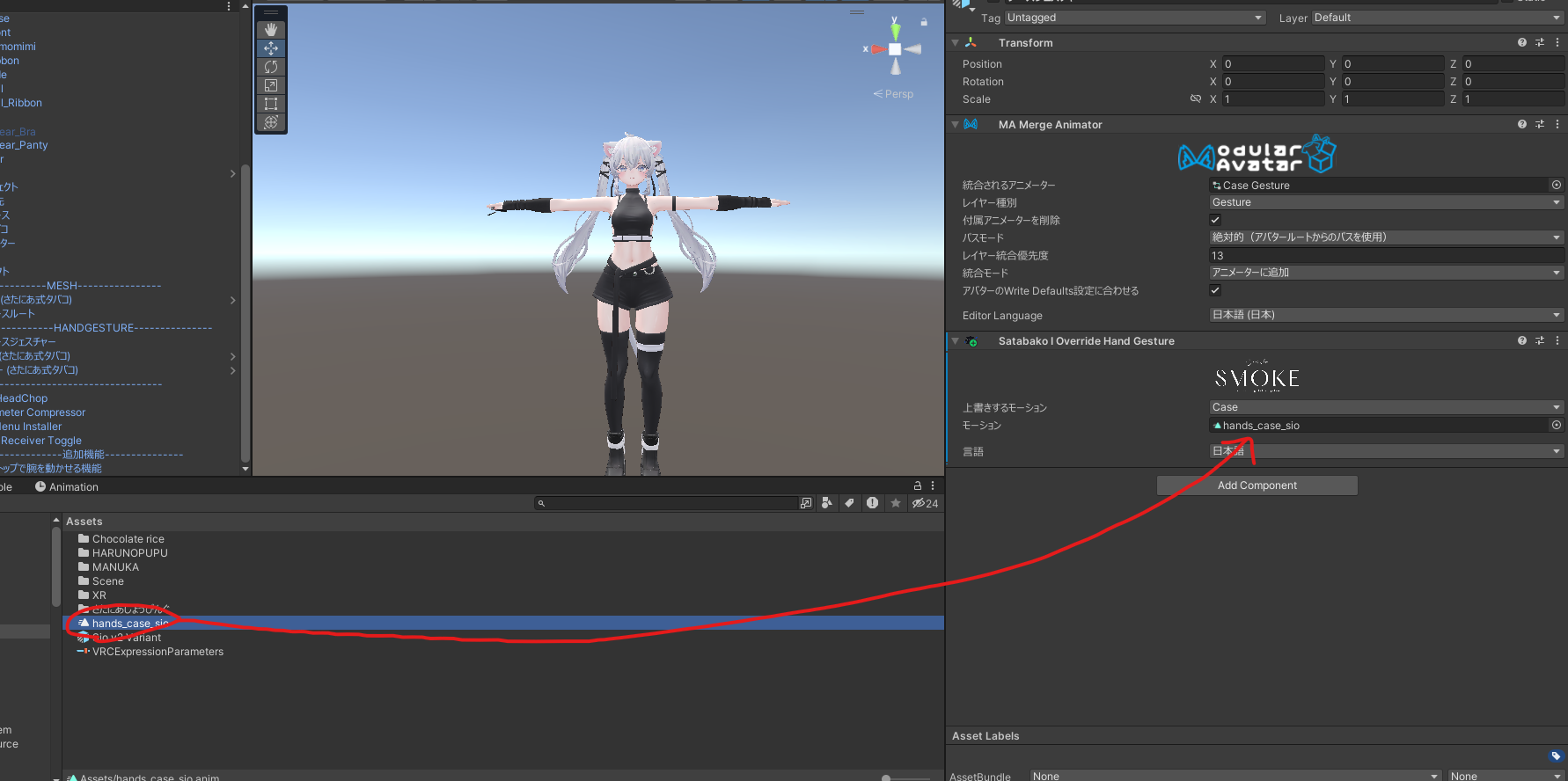
That's it.
Swapping the motion usually shifts where the item sits in the hand too, so if it's off, read Making an avatar compatible yourself and adjust the position, rotation and size.