Adjusting only the position in the mouth
If you're on a supported avatar and only the mouth position is off, say because you changed the head scale, fix it this way.
If your avatar isn't supported, read Making an avatar compatible yourself.
Adjusting where the cigarette sits in the mouth
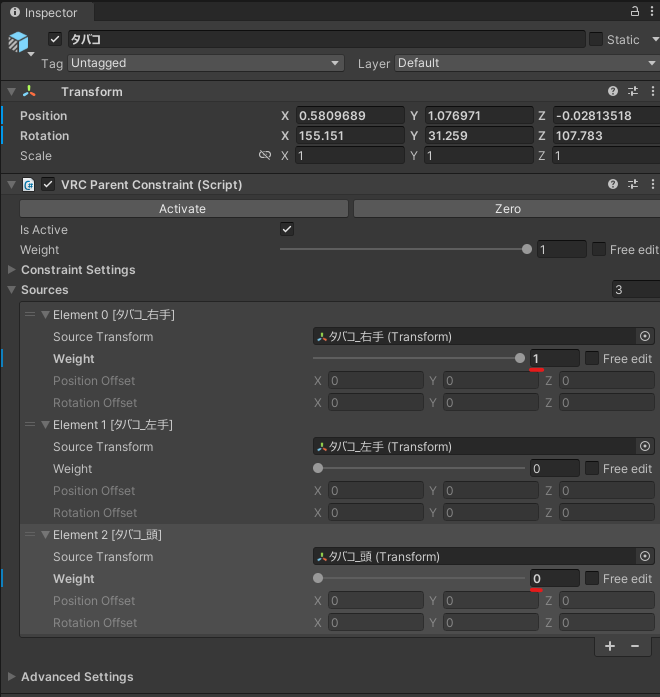
The cigarette is at the right hand position, so change the constraint settings.
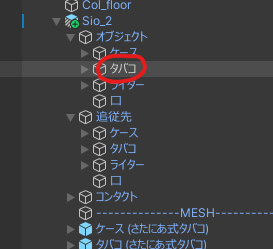
Select オブジェクト (Objects) → タバコ (Cigarette).
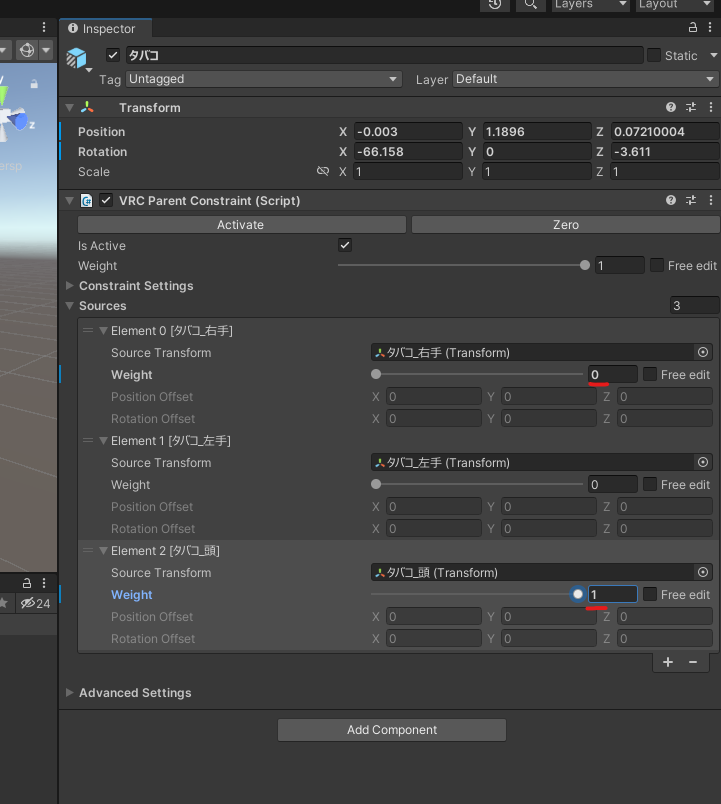
Change the weight of タバコ_右手 (Cigarette_Right hand) to 0 and the weight of タバコ_頭 (Cigarette_Head) to 1.
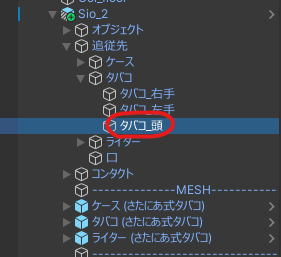
Select 追従先 (Follow targets) → タバコ → タバコ_頭.
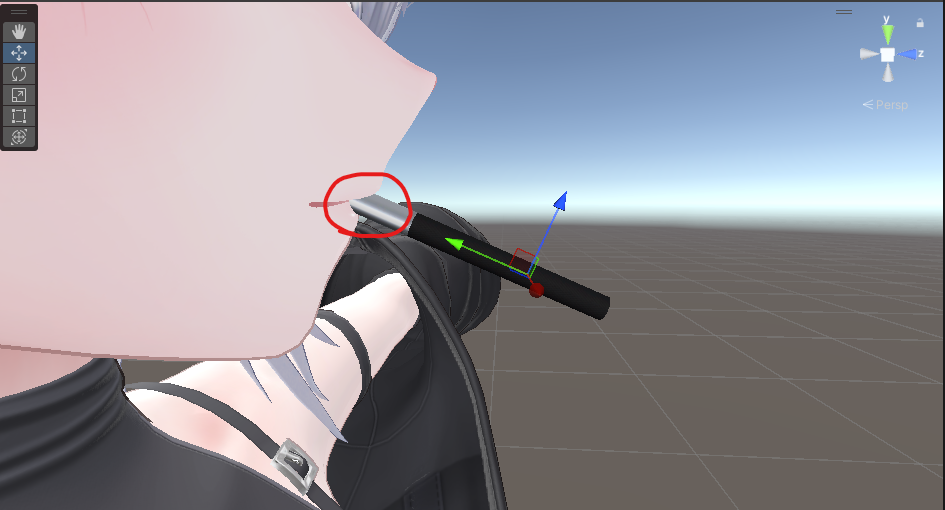
Adjust the position so it looks like it's held in the mouth.
To put the constraint weights back, select オブジェクト →
タバコ.
Set the weight of タバコ_右手 back to 1 and
the weight of タバコ_頭 back to 0.
Adjusting the mouth contact position
If the position in the mouth is off, chances are the mouth contact is off too, so adjust that as well.
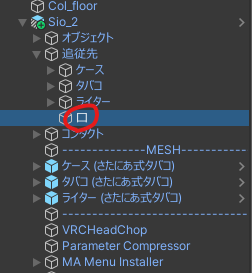
Select 追従先 →
口 (Mouth).
Move it to just a little in front of the mouth.
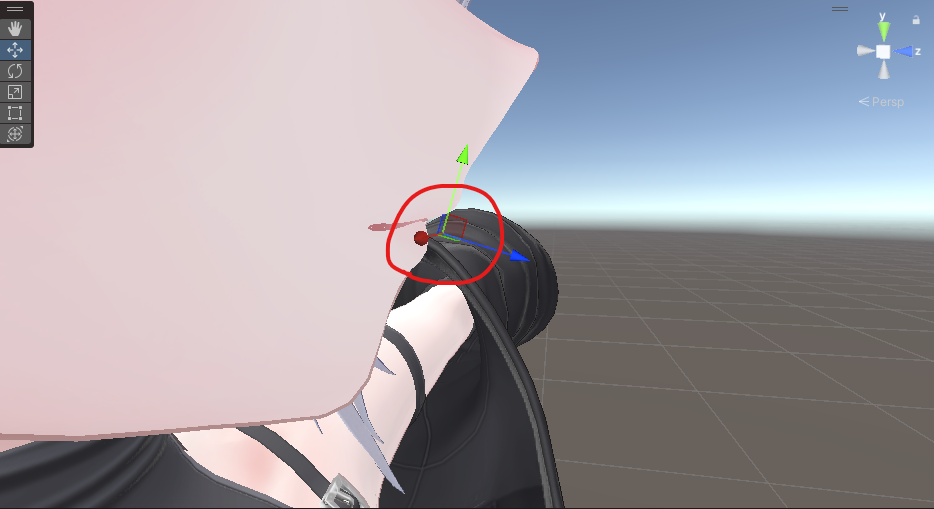
And that's it.