FAQ
I don't know how to install it
See Installing on a supported avatar
I want to use it on an unsupported avatar
See Making an avatar compatible yourself
How do I change the materials?
See Where do the materials go?
I want to adjust where it sits in the mouth and which way it points
Read Adjusting only the position in the mouth and adjust the position and angle there.
The case, lighter or cigarette model doesn't show up
Check that you didn't forget to import Satania Tabako Model and Textures.unitypackage, which comes in the ZIP you downloaded.
I get an error and can't upload
First off, to find out what's causing the error you'll need to look at the Console.
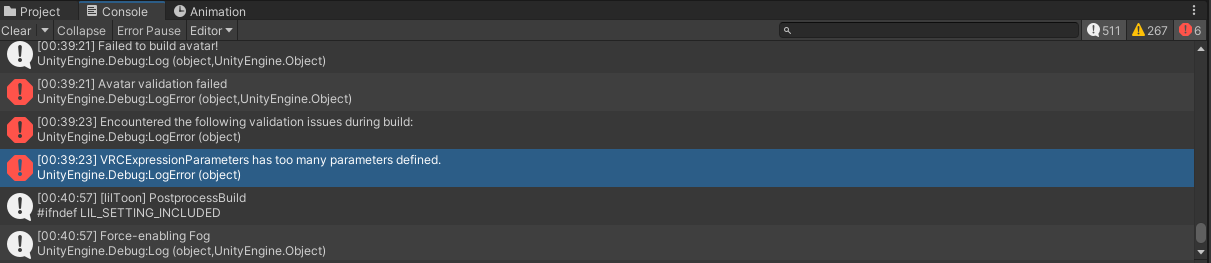
In the screenshot it says VRCExpressionParameters has too many parameters defined., which means the VRCExpressionParameters are full.
This often happens when the avatar already has a lot of gimmicks built in, or you've added too many.
The error you get in the Console changes depending on the cause, so read every error from Failed to build Avatar! down and you may be able to work out what's wrong.
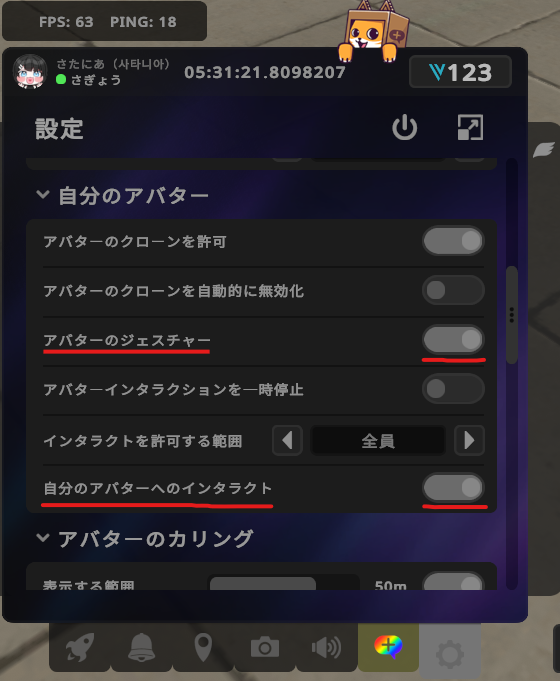
I installed it but can't take out the case or lighter
Check that Avatar Gestures or Self Interact isn't turned off in your VRChat settings.
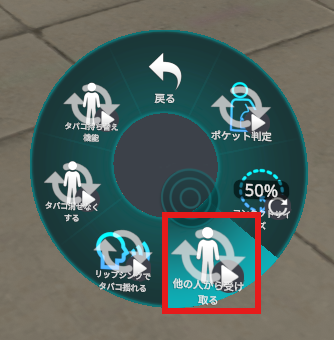
I can't take someone else's cigarette or flame
Check that the 他の人から受け取る (Receive from others) option in the Satania Tabako menu isn't turned off.
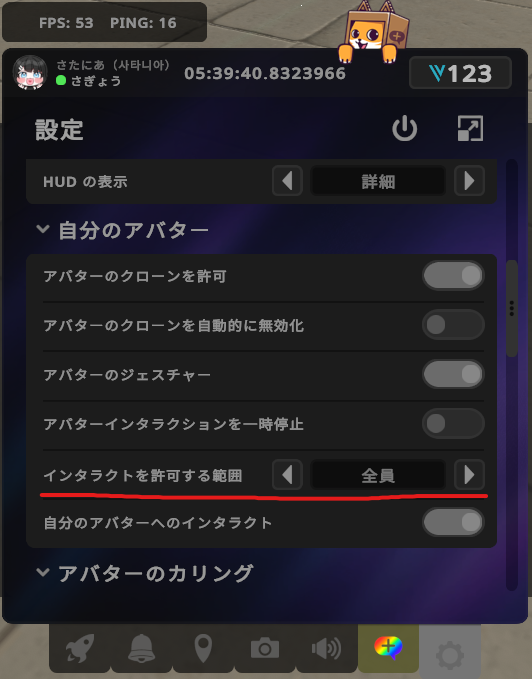
If you still can't, check both players' Avatar Interactions setting. After changing it, switch avatars once or reset your avatar and it'll start working.
I want to move my arms on desktop
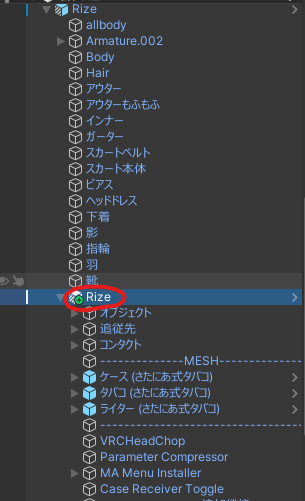
Select the Tabako prefab you installed on your avatar.
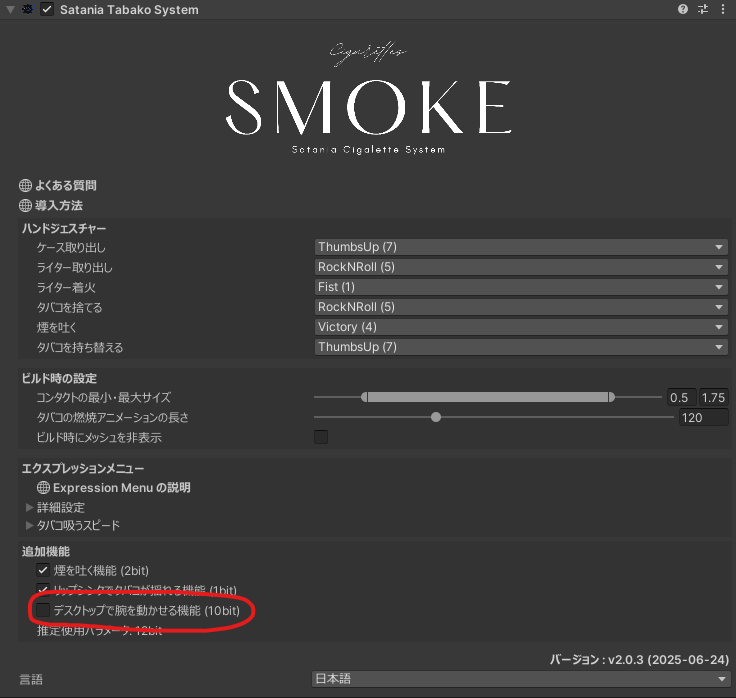
Turn on デスクトップで腕を動かせる機能 (10bit) (Move arms on desktop (10bit)).
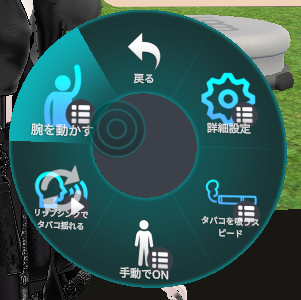
Upload your avatar like this and a 腕を動かす (Move arms) menu shows up in your Expression Menu in VRChat,
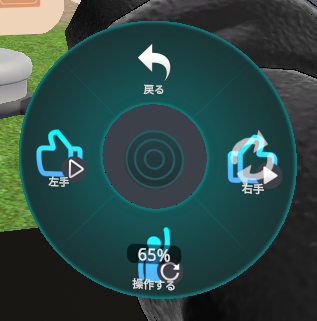
so pick the arm you want to move and you can move it.
The 操作する (Control) option changes the height of the arm.
I want to adjust the contact for holding the cigarette in the mouth
It's easier with gizmos on, so turn them on before you adjust anything.
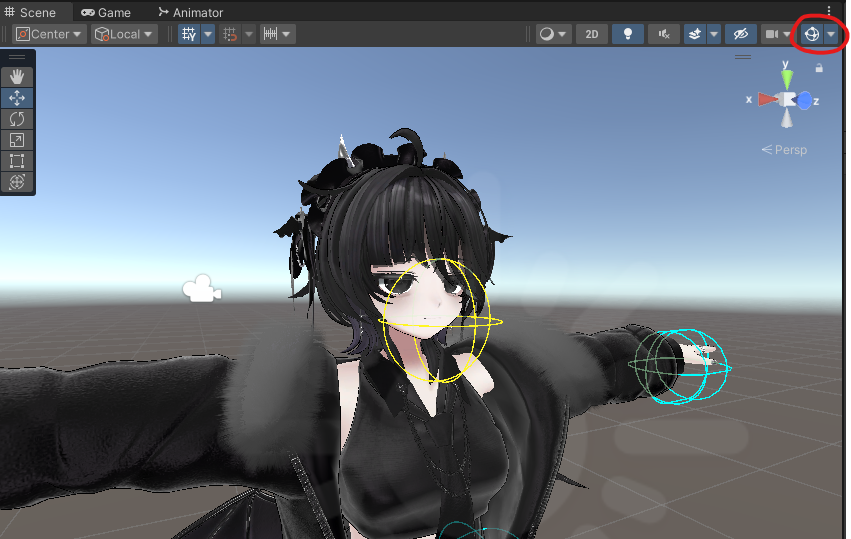
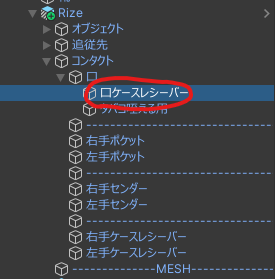
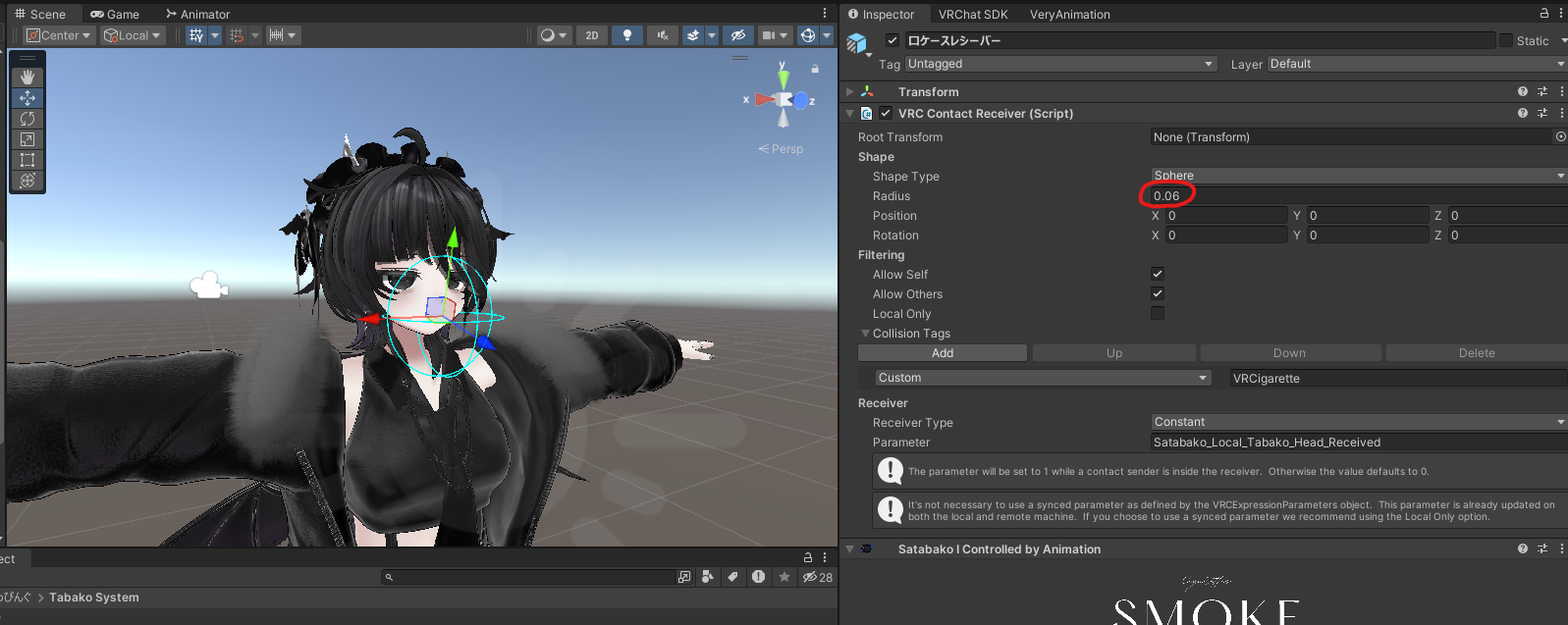
Adjusting the contact for taking a cigarette from the case into your mouth
Select コンタクト (Contacts) → 口 (Mouth) → 口ケースレシーバー (Mouth case receiver).
Change the Shape to fit your avatar.
(In the screenshot, I'm adjusting the radius.)
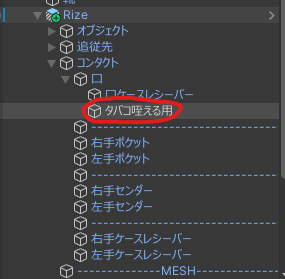
Adjusting the contact for moving the cigarette from your hand to your mouth
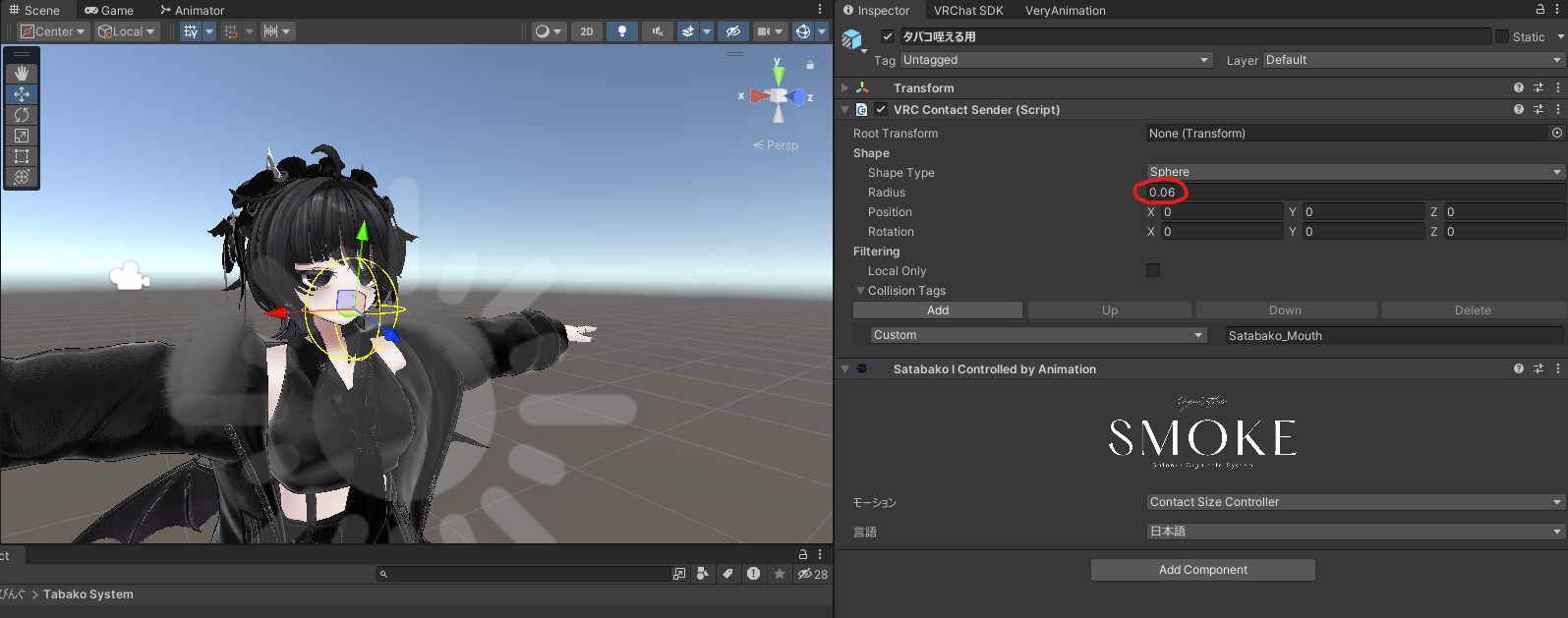
Select コンタクト → 口 → タバコ咥える用 (For holding cigarette in mouth).
Change the Shape to fit your avatar.
(In the screenshot, I'm adjusting the radius.)
The hand gesture doesn't apply when I hold something
There may be an avatar mask in your avatar's FX controller.
Deleting it may fix it.
The cigarette smoke, exhaled smoke or lighter flame doesn't show up
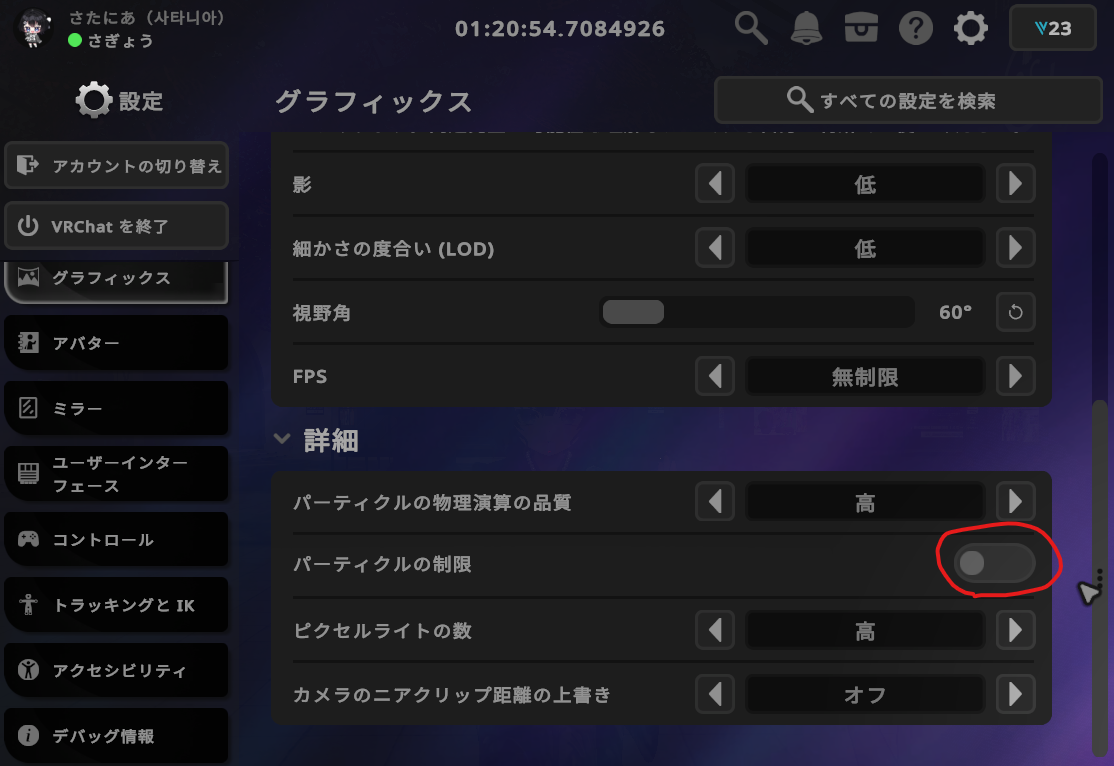
The particle limiter may be blocking it.
Turn off Particle Limiter and then restart VRChat.
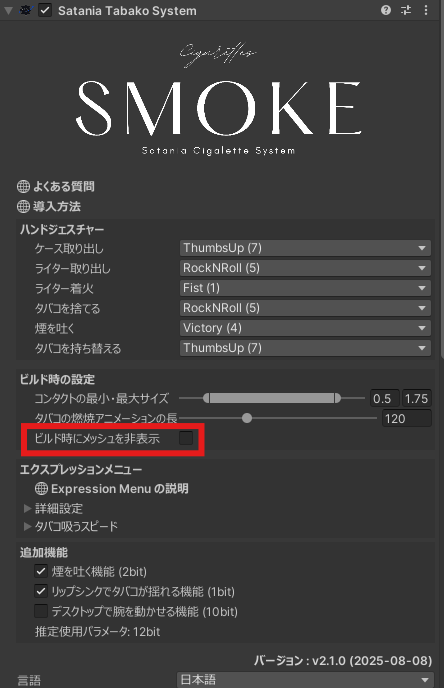
The cigarette, lighter and case show up in the avatar preview
Turn on the option in the red box and they'll be hidden in the avatar preview.
It's hard to light, so I want a bigger area for the cigarette to catch the flame
Edit the flame-receiving contact in Editing the cigarette contacts.
I want a bigger lighter flame contact
Edit the lighter flame contact in Editing the lighter flame contact.
I want to change how the lighter flame looks
Change it in Changing how the flame looks.