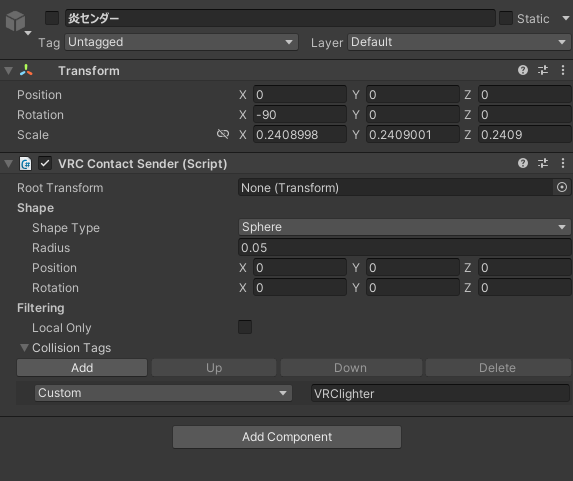
Editing the cigarette contacts
With Satania Tabako, you can fine-tune the contacts the cigarette uses, too.
Editing the contact that receives the flame
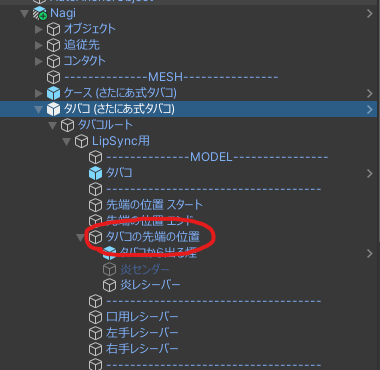
Open タバコ (さたにあ式タバコ) (Cigarette (Satania Tabako)) →
タバコルート (Cigarette Root) →
LipSync用 (For LipSync) →
タバコの先端の位置 (Cigarette tip position).
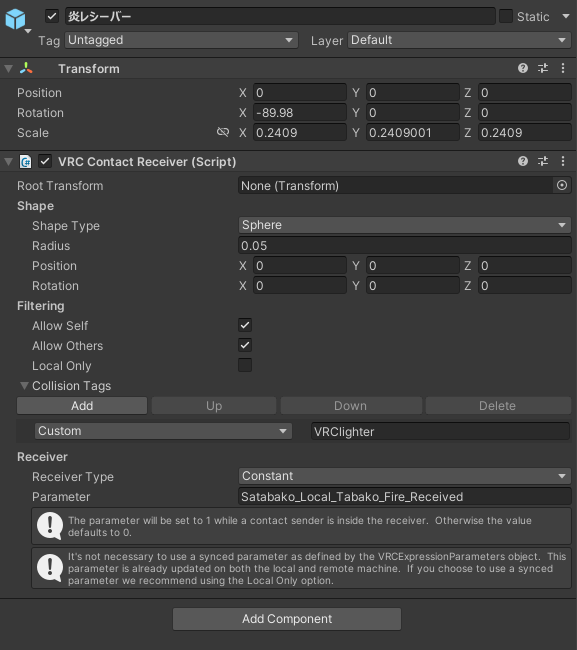
Select 炎レシーバー (Flame Receiver).
Position sets the position
Rotation sets the rotation
Radius sets the range
Those are the values you can change.
Editing the contact for cigarette kisses
With Satania Tabako, you can pass the flame by touching two cigarette tips together. Here's how to change the size and position of that contact.
Open タバコ (さたにあ式タバコ) →
タバコルート →
LipSync用 →
タバコの先端の位置.
Select 炎センダー (Flame Sender).
Position sets the position
Rotation sets the rotation
Radius sets the range
Those are the values you can change.