Swapping the lighter model
Thanks
This guide uses 【無料】100円ライターセット (free 100-yen lighter set) for the swap. Thank you!
Before you start
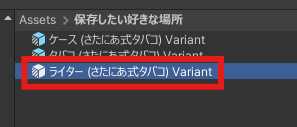
If you're planning to save the swapped model as a prefab later, or to distribute or sell it, you'll need to get it ready for turning into a prefab first.
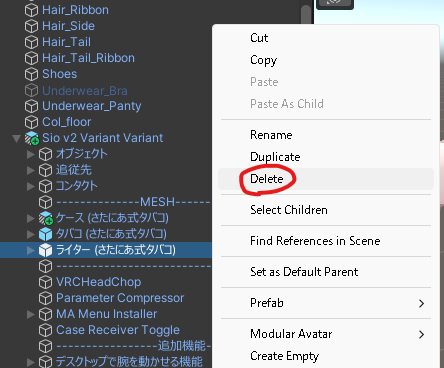
Start by deleting the ライター (さたにあ式タバコ) (Lighter (Satania Tabako)) that's in there by default.
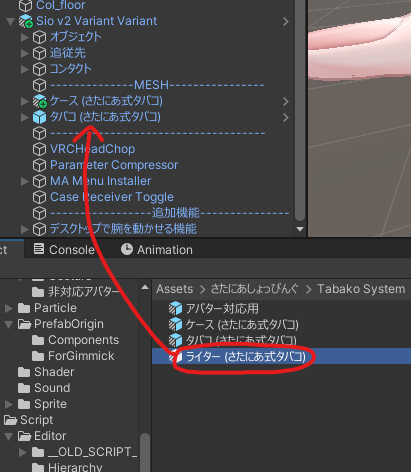
Put さたにあしょっぴんぐ (SataniaShopping) → Tabako System → Template → ライター (さたにあ式タバコ) inside ------MESH-----.
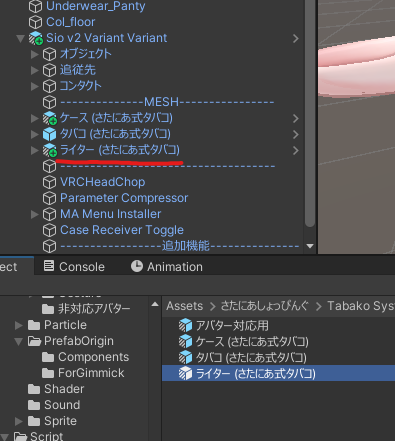
After putting it in:
Now go ahead and swap the model.
Placing the model
Put your 3D model in the section marked ------MODEL-----.
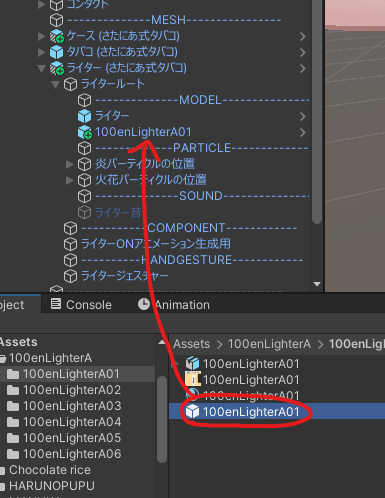
Adjust its position, rotation and size so it sits right over the original model.
Careful: if it's thicker or longer than the original Satania Tabako model, it might clip through the hand.
Before:
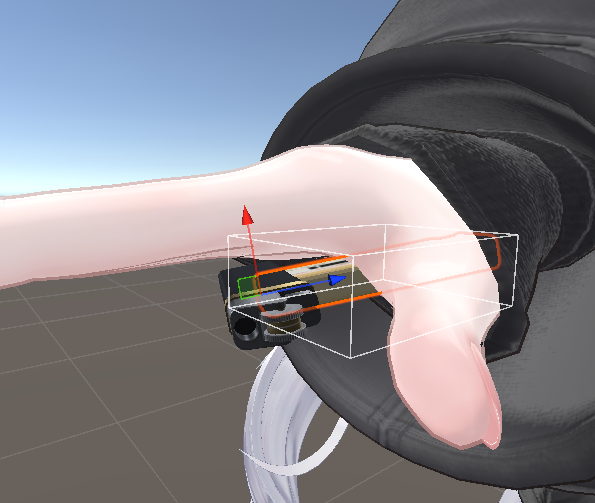
After: The positioning is based on where the switch is, so lining it up with the switch on the original model makes clipping less likely.
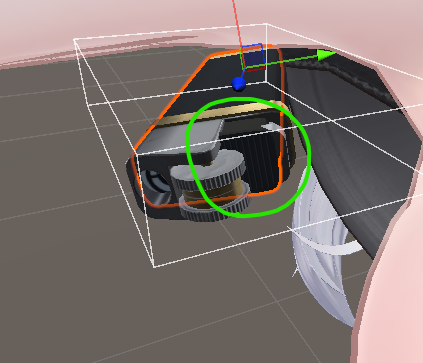
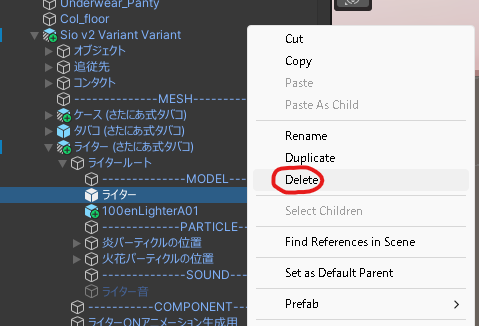
Delete the original model
Delete the "ライター" ("Lighter") inside the ------MODEL----- section.
Setting up the animation that presses the switch in
Satania Tabako has an animation where the lighter's switch gets pressed in when you light it.
If the model you swapped in has a blend shape that presses the switch in, you can use it for that animation.
The lighter model used here comes with one, so that's what we'll use.
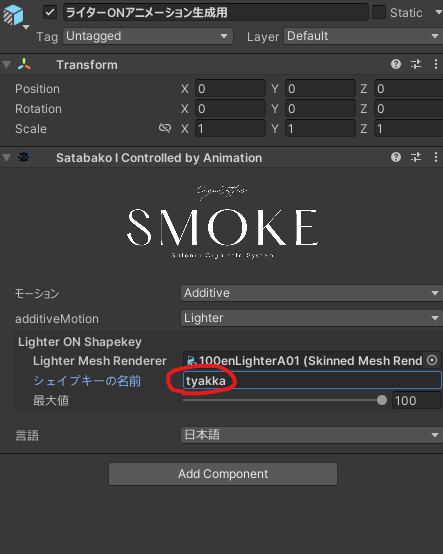
On this model, tyakka is the blend shape that presses the switch in.
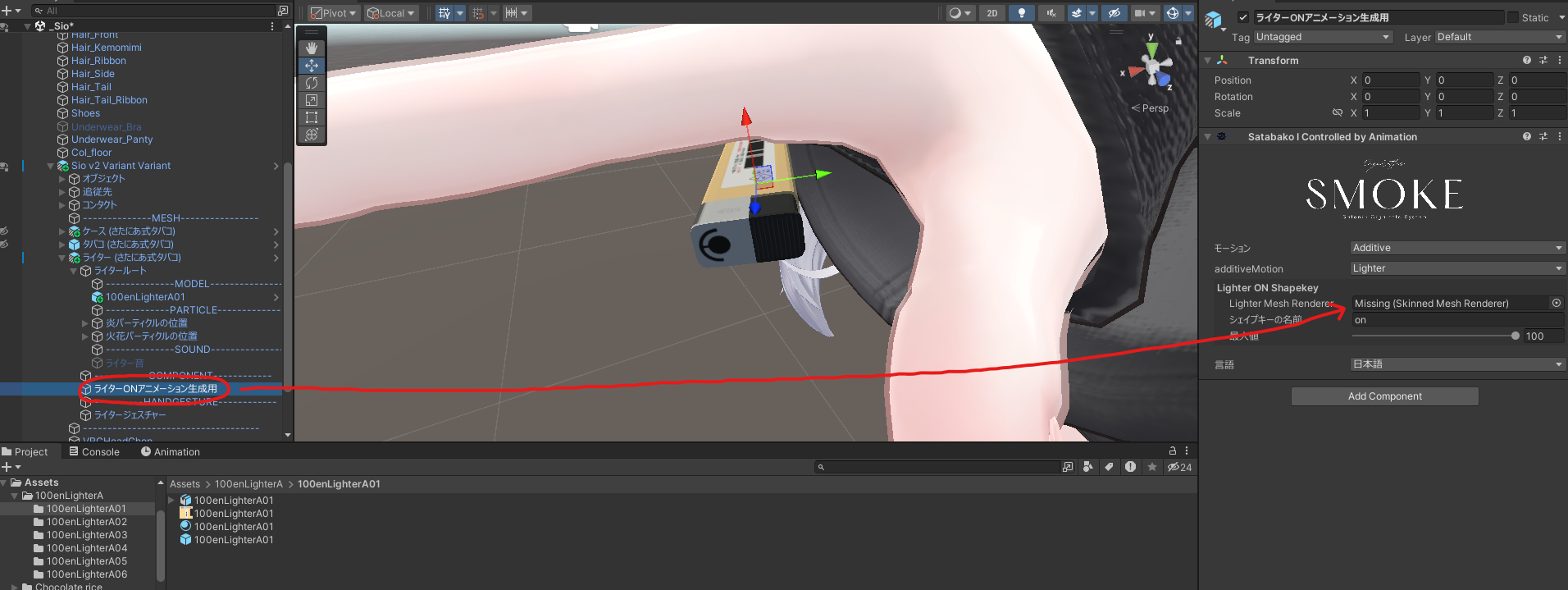
Select "ライターONアニメーション生成用" (for generating the lighter ON animation).
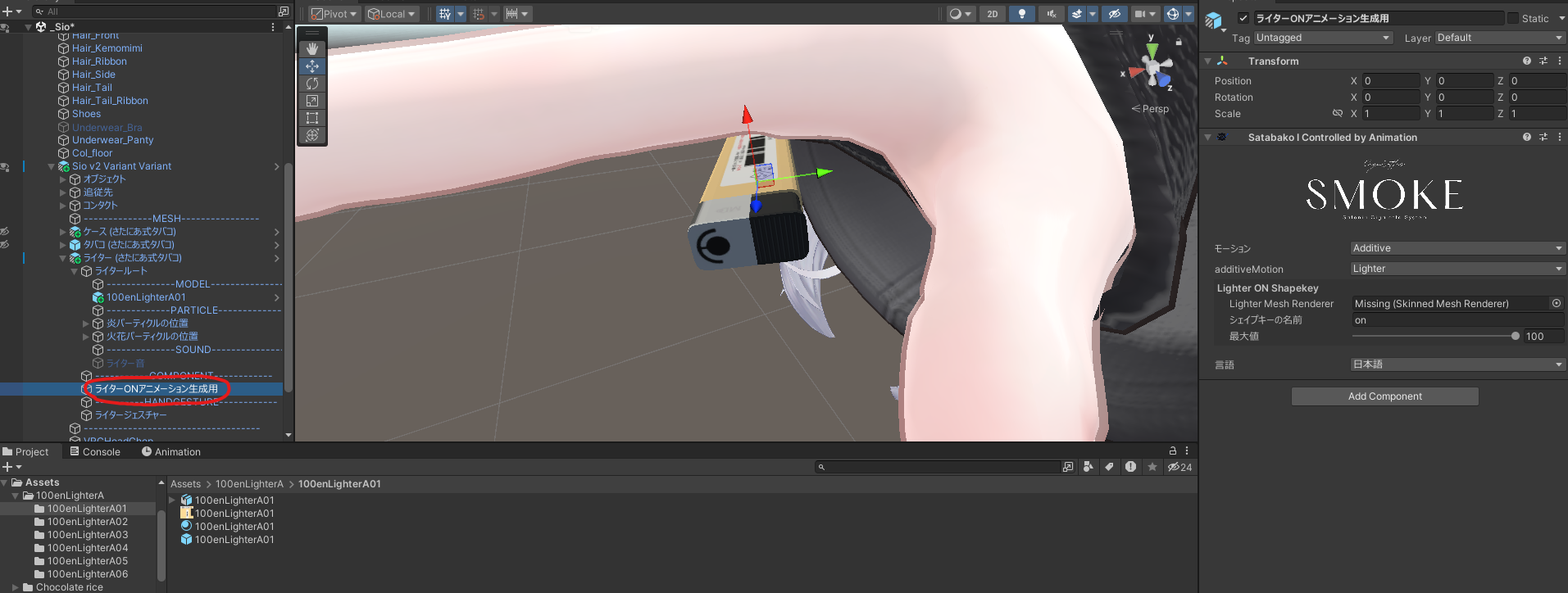
Put in the lighter mesh.
Put "tyakka" in "シェイプキーの名前" (Blend shape name).
Check it
If you can see the tip change color in-game or in the VRC emulator, you're done.
Turning it into a prefab
If you swapped out the prefab in Before you start, there's one more step to save it as a prefab.
Drag the prefab into the folder you want to save it in.
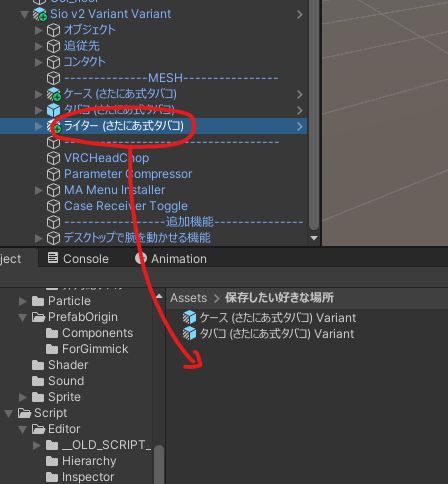
You'll see the dialog below. Pick Prefab Variant.

If it saved with "Variant" at the end of the name, you're done! Nice work.
If you're going to distribute or sell it, handing out this prefab makes setup easier for your users. (When you distribute it, don't include the original Satania Tabako files in the unitypackage.)