Customizing the materials
Using the materials that come with it
Satania Tabako comes with 6 materials out of the box.
- ・No logo, black
- ・No logo, white
- ・With logo, white, English
- ・With logo, white, Japanese
- ・With logo, black, English (default)
- ・With logo, black, Japanese
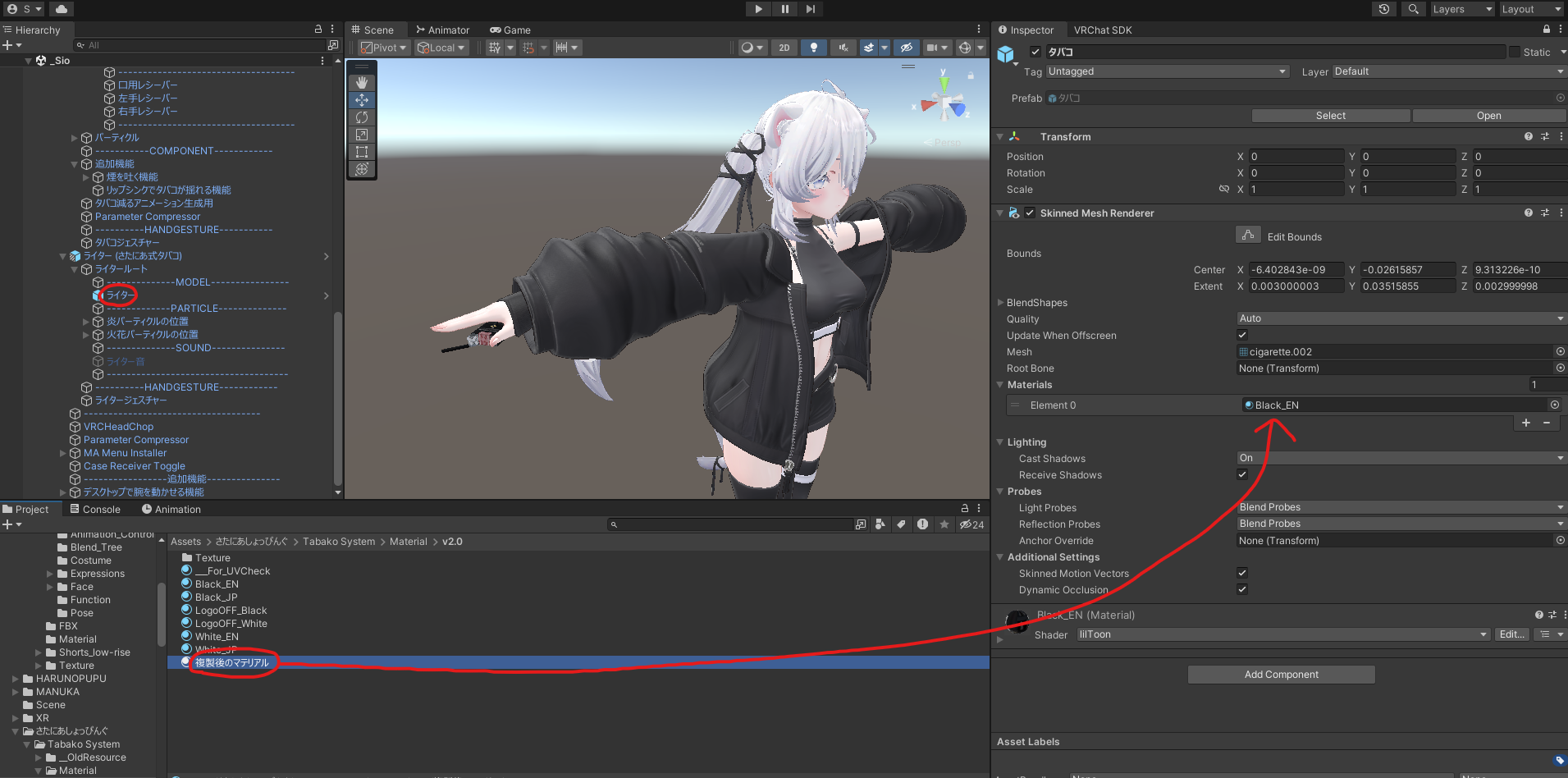
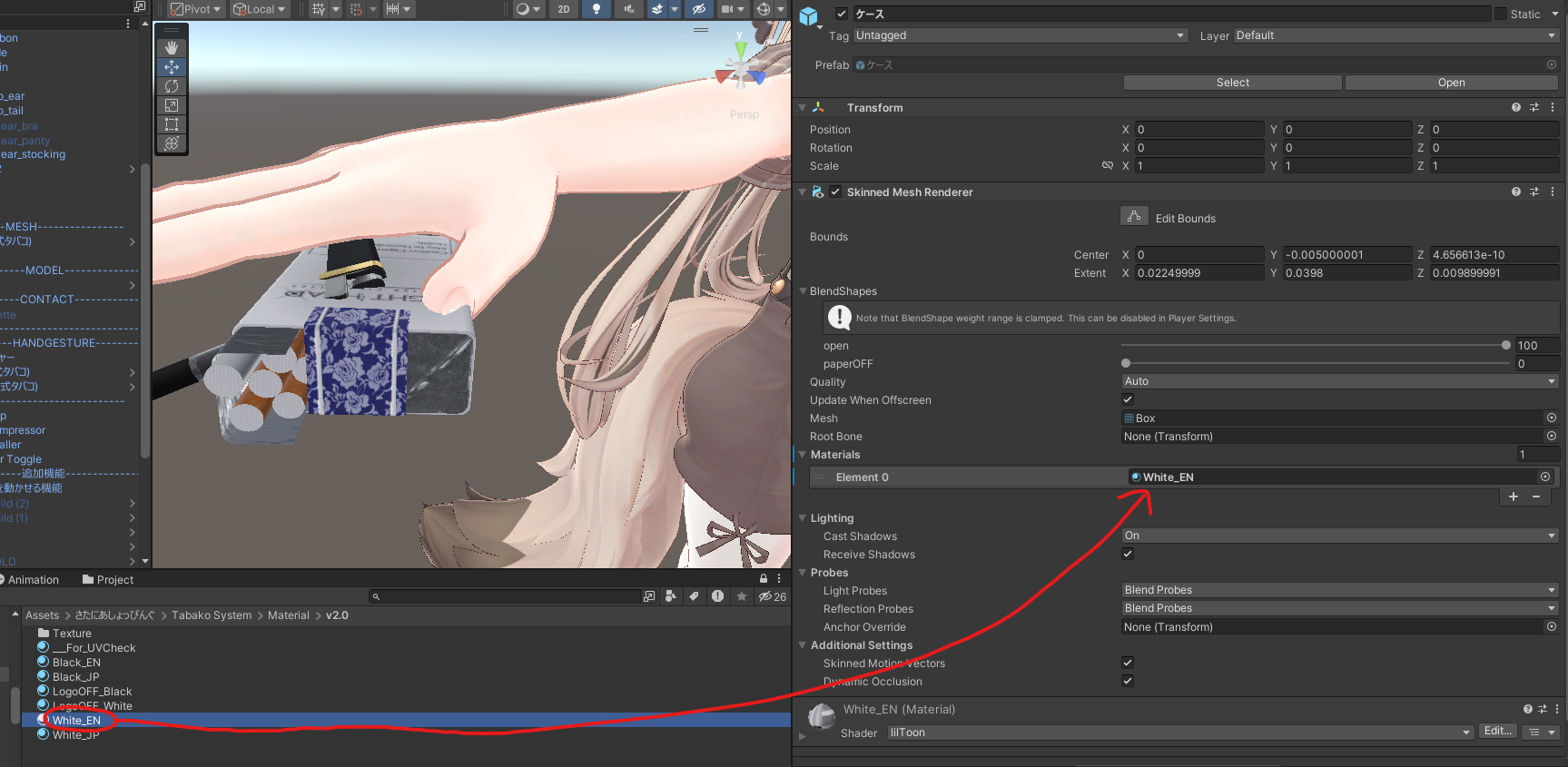
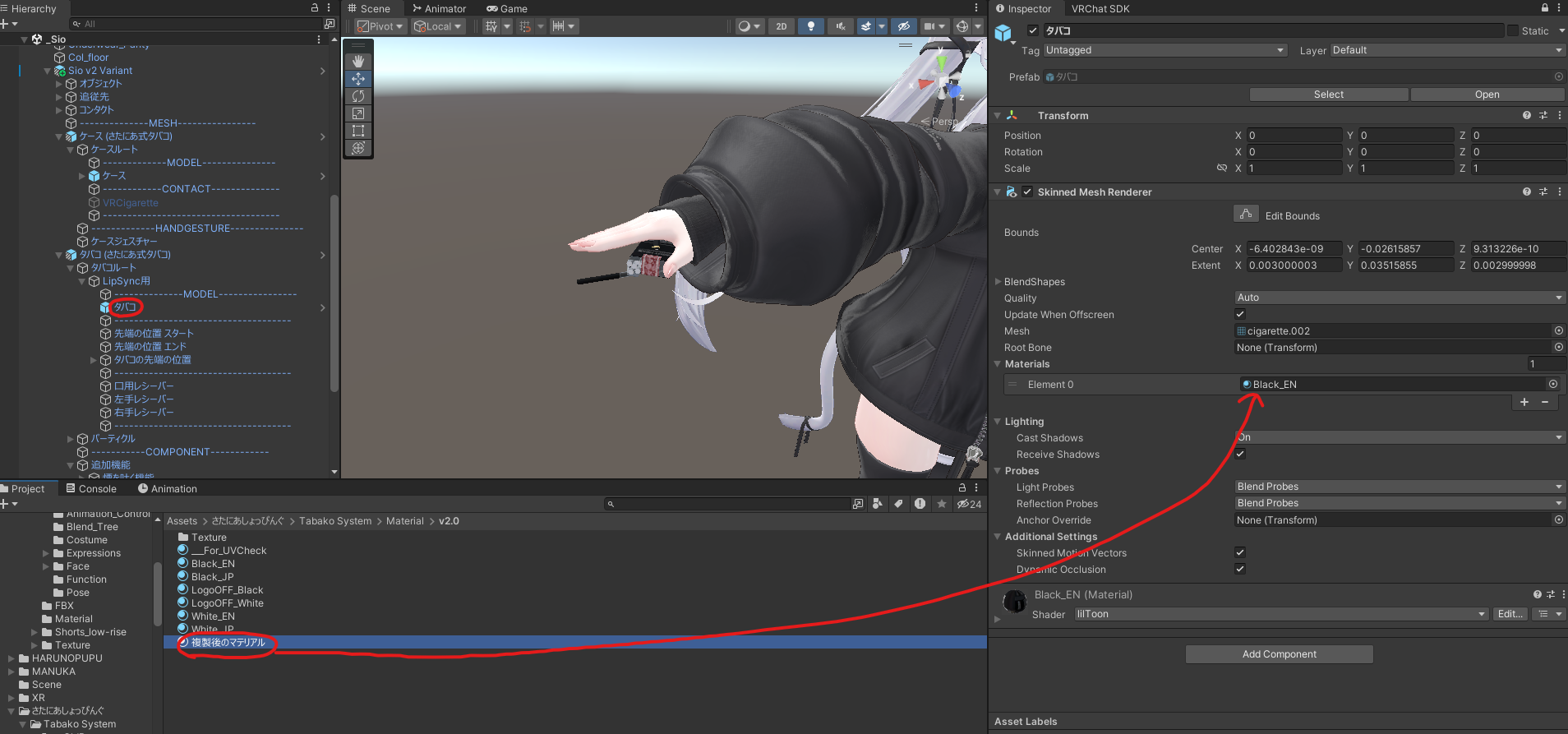
If you want to swap the material, the materials are in the
さたにあしょっぴんぐ (SataniaShopping) →
Tabako System →
Material →
v2.0 folder, so put in whichever one you like.
Drawing your own texture
There's a clip file and a PSD file among the Satania Tabako files, so open them in CLIP STUDIO PAINT or Adobe Photoshop.
There's a UV guide inside, so draw your texture using that as a reference.
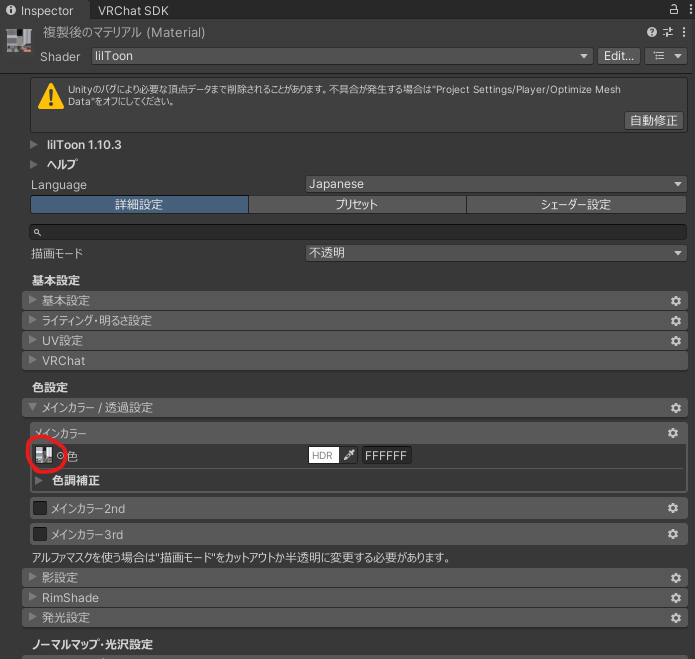
Once you've saved it, duplicate LogoOFF_Black or LogoOFF_White and put your texture in.
Select the material in the Project tab and press Ctrl + D to duplicate it.
Your texture goes here.
Where do the materials go?
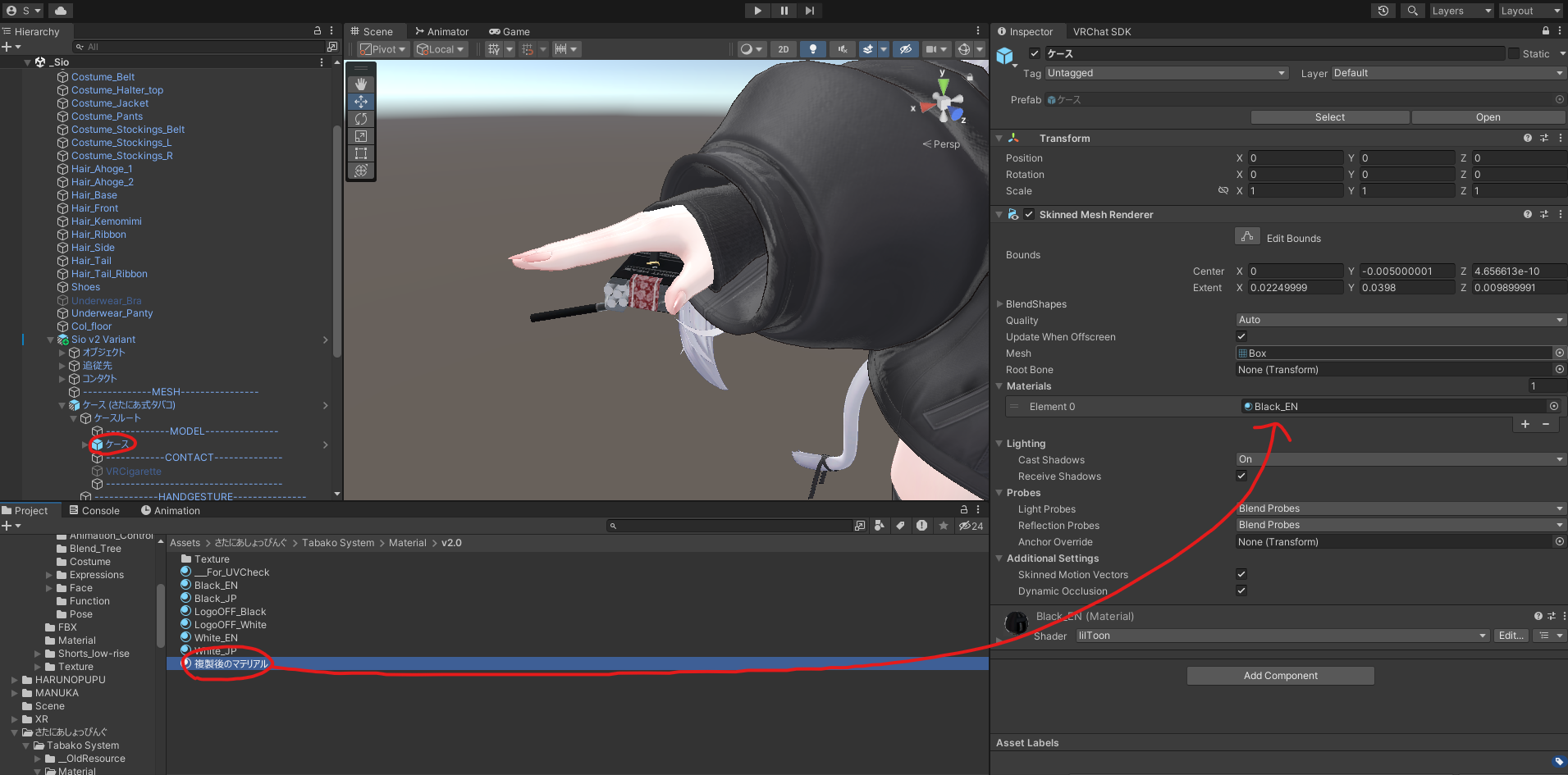
Case goes here
Cigarette goes here
Lighter goes here