Swapping the case model
Thanks
This guide uses 3Dモデル 長さの変わるタバコ【VRChat】 (a cigarette model that changes length) for the swap. Thank you!
Before you start
If you're planning to save the swapped model as a prefab later, or to distribute or sell it, you'll need to get it ready for turning into a prefab first.
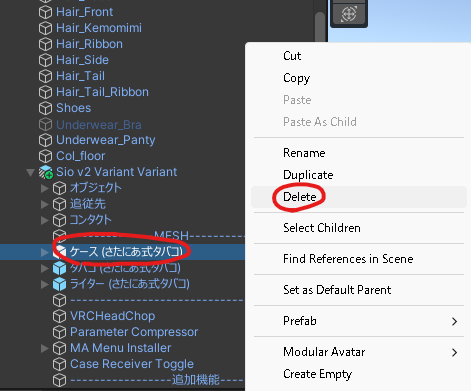
Start by deleting the ケース (さたにあ式タバコ) (Case (Satania Tabako)) that's in there by default.
Put さたにあしょっぴんぐ (SataniaShopping) → Tabako System → Template → ケース (さたにあ式タバコ) inside ------MESH-----.
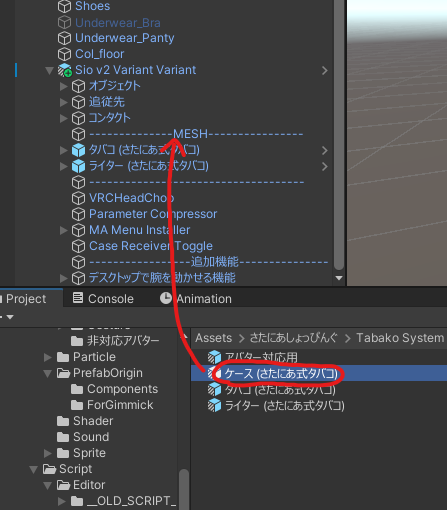
After putting it in:
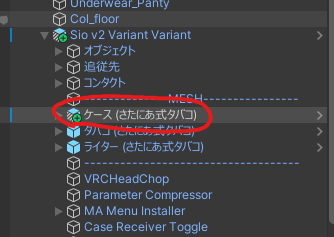
Now go ahead and swap the model.
Placing the model
Put your 3D model in the section marked ------MODEL-----.
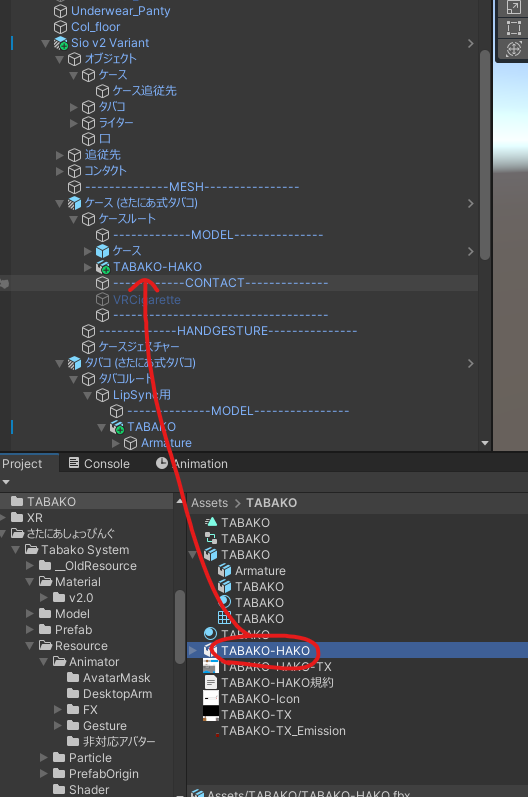
Adjust its position, rotation and size so it sits right over the original model. (Try to get the width about the same.)
Before:
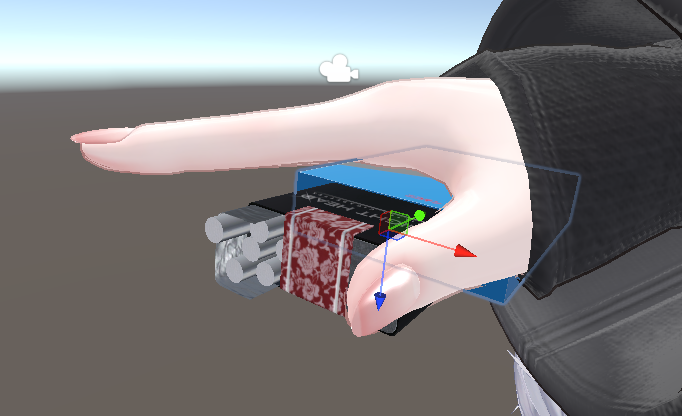
After:
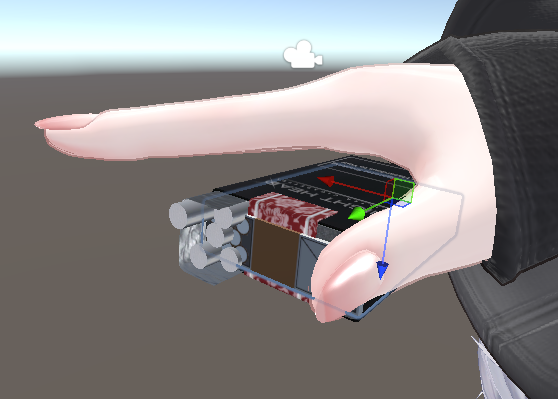
Delete the original model
Delete the "ケース" ("Case") inside the ------MODEL----- section.
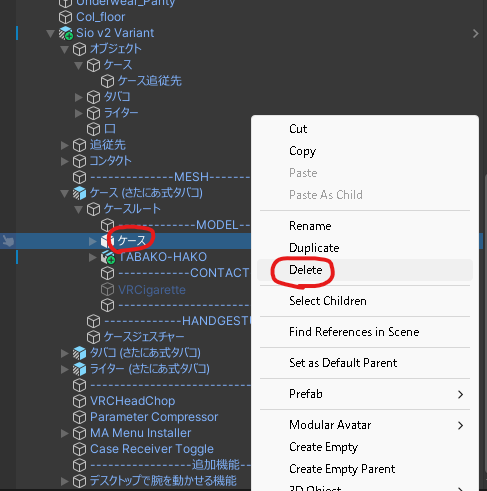
Check it
If the case model has changed, you're done. Nice work!
Turning it into a prefab
If you swapped out the prefab in Before you start, there's one more step to save it as a prefab.
Drag the prefab into the folder you want to save it in.
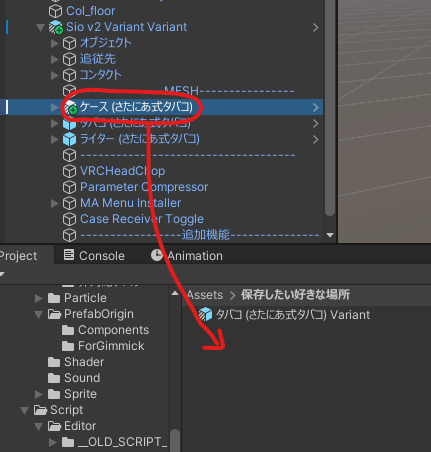
You'll see the dialog below. Pick Prefab Variant.

If it saved with "Variant" at the end of the name, you're done! Nice work.
If you're going to distribute or sell it, handing out this prefab makes setup easier for your users. (When you distribute it, don't include the original Satania Tabako files in the unitypackage.)
